Posts

How to install Android 12 Beta version to your Pixel device
Image
As you know, the next big Android system that comes with version number 12 is testing. Google has official released the full factory images of the firmware file of the Android 12 Beta for download  to all compatible Pixel users. Actually, it is currently the fourth version. According to Google, the compatible Pixel devices have the Pixel 3 and later, so it includes Pixel 3, Pixel 3 XL, Pixel 3a, Pixel 4, Pixel 4 XL, Pixel 4a, and Pixel 5. So, if you are one of those who are using the mentioned pixel devices, you can then enjoy now the new Android 12 OS. Well, how should we install this new Android version? As a matter of fact, the easiest way to install Android 12 Beta is to register your Pixel phone with the Android Beta for Pixel program. Once you registered, you will regularly get updates via OTA to the latest Android 12 version. It is very easy to register the Pixel program for Android Beta. It is very recommended for unfamiliar users. In this case, you don't need even to perfo...

(OTA and Factory Image) Android 12 Beta 4 with build SPB4.210715.011 is now available for download

Image
The mountain view giant has currently released the new beta 4 version with build SPB4.210715.011 for its next big Android 12 update. All the OTA packages and factory images are available for download from the Google download page. The new Android 12 Beta 4 supports the Pixel 3 and later, and it comes with a new August 2021 security patch. About Android 12 Beta 4 Release date : August 11, 2021 Build : SPB4.210715.011 Emulator support : x86 (64-bit), ARM (v8-A) Security patch level : August 2021 Google Play Services : 21.24.18 Android 12 Beta 4 OTA Download Pixel 5 Pixel 4a 5G Pixel 4a Pixel 4 XL Pixel 4 Pixel 3a XL Pixel 3a Pixel 3 XL Pixel 3 Android 12 Beta 4 Factory Image Download Pixel 5 Pixel 4a 5G Pixel 4a Pixel 4 XL Pixel 4 Pixel 3a XL Pixel 3a Pixel 3 XL Pixel 3 According to Google, Android 12 Beta 4 fixed many issues: Developer-reported issues Fixed issues that prevented some notifications about missed calls from being dismissed. ( Issue #193718971 , Issue #194388100 ) ...

How to enable Material You dynamic color theme with new Chrome Canary browser app

Image
As you know, the new version Chrome Canary browser app  has now supported new dynamic color themes with a new design feature called Material You that was designed for the next big Android 12 version. So how should we enable the dynamic color theme with the new Chrome Canary app? It is not difficult to enable this new Material You feature if you are using an Android 12 device. Just make it available by enabling two flags. Enable Material You dynamic color theme on Android 12 devices Copy and paste the first flag into the URL of Chrome Canary  Tap Default Tap Enabled Copy and past the second flag into the URL of Chrome Canary Tap Default Tap Enabled (Full) Tap Relaunch Once you relaunched your Chrome Canary, you can check whether the new feature is working. The browser should apply fresh shades to the entire user interface, which is characteristic of the wallpaper colors extracted by Android 12. If it is not working yet, force quit the app and restart from your app...

Android browser Chrome Canary version now supports Material You dynamic theme

Image
As a new feature of the Mountain View's next big Android 12 update, the Material You feature can give a feeling of intelligent design. It uses dynamic color themes that match your wallpaper. As you see, Google has radically introduced its new design language feature into its applications. Now, the Material You feature is landing on the Canary version of the Android Chrome browser. So, with the new version Chrome Canary version, you can get to experience dynamic color themes on your Android phone. Download Chrome Canary  Please kindly note that your phone should be running on the Android 12 version. As we all know, currently Android 12 is just a test version because Google has not officially released it. Anyway, the Android 12 beta can be updated to your Pixel or some flagship Android phones.

(IPSW file) The official iOS 14.7.1 and iPadOS 14.7.1 firmware download

Image
Apple has recently released the latest iOS 14.7.1 and iPadOS 14.7.1 firmware update to its users. Now the official IPSW firmware files are available for direct download. According to the Apple, the iOS 14.7.1 fixes an issue where iPhone models with Touch ID cannot unlock a paired Apple Watch using the Unlock with iPhone feature. This update also provides important security updates and is recommended for all users. iOS 14.7.1 supports iPhone 6s and later, and iPod touch (7th generation). And iPadOS 14.7.1 supports iPad Pro (all models), iPad Air 2 and later, iPad 5th generation and later, iPad mini 4 and later. For information on the security content of iOS 14.7.1 and iPadOS 14.7.1 software updates, please visist this official link . iOS 14.7.1 IPSW Firmware File Download iPhone 12 iPhone 12 Pro iPhone 12 mini iPhone 12 Pro Max iPhone 11 Pro Max iPhone 11 Pro iPhone XS Max iPhone XS iPhone 11 iPhone XR iPhone X iPhone 8 iPhone 7 iPhone 8 Plus iPhone 7 Plus iPhone SE (2nd Genera...

Which countries are supported by MARS TV X IPTV

Image
It looks like that MARS TV X IPTV service is a good service. According to the MARS TV X Live TV page , it supports many channels including many countires all over the world. These countries are respectively Nederlands, Belgium, Poland, Switzerland, Germany, France, Brasil, Italy, UK, Portugal, Spain, United States, Canada, Australia, Turkey, Azerbaycan, Kurdistan, Arabic, Egypt, Africa, Algeria, Morocco, Tunisia, Iraq, Lebanon, Finland, Sweden, Armenia, Greece, Norway, Denmark, Caribbean, Colombia, R. Dominicana, El Salvador, Mexico, Argentina, Uruguay, Chile, Peru, Latino Pelicula, Ecuador, Israel, Lithuania, Israel, Estonia, Slovenia, Hungary, Czech, Romania, Russia, Bulgaria, Georgia, Ukraine, Afghanistan, India, Pakistan, Indonesia, Vietnam, South Korea, Thailand, Malaysia, Philippines, etc.

The official iOS 6.1 firmware Download

Image
About iOS 6.1 Brings LTE support to more markets around the world, so even more users can enjoy ultrafast Safari browsing, FaceTime video calls, iCloud services, and iTunes and App Store downloads The ability to use Siri to purchase movie tickets in the US through Fandango iTunes Match subscribers can download individual songs to their iOS devices from iCloud Firmware Download iPhone iPhone 5(GSM Also known as A1428)——iPhone5,2_6.1_10B143_Restore.ipsw iPhone 5(CDMA Also known as A1429)——iPhone5,1_6.1_10B143_Restore.ipsw iPhone 4S——iPhone4,1_6.1_10B142_Restore.ipsw iPhone 4 CDMA——iPhone3,3_6.1_10B141_Restore.ipsw iPhone 4 GSM——iPhone3,1_6.1_10B144_Restore.ipsw iPhone 3G S——iPhone2,1_6.1_10B141_Restore.ipsw iPad iPad mini(WiFi)——iPad2,5_6.1_10B141_Restore.ipsw iPad mini(WiFi+GSM)——iPad2,6_6.1_10B141_Restore.ipsw iPad mini(WiFi+CDMA)——iPad2,7_6.1_10B141_Restore.ipsw iPad 4(WiFi)——iPad3,4_6.1_10B141_Restore.ipsw iPad 4(WiFi+G...

iOS 6.1 Beta 5 Direct Download Links

Image
About iOS 6.1 Beta 5 The fifth edition of iOS 6.1 Beta Firmware Download iPhone iPhone 5(GSM Also known as A1428)—— iPhone5,1_6.1_10B143_Restore.ipsw iPhone 5(CDMA Also known as A1429)—— iPhone5,2_6.1_10B143_Restore.ipsw iPhone 4S—— iPhone4,1_6.1_10B142_Restore.ipsw iPhone 4 CDMA—— iPhone3,3_6.1_10B141_Restore.ipsw iPhone 4 GSM—— iPhone3,1_6.1_10B144_Restore.ipsw iPhone 3G S—— iPhone2,1_6.1_10B141_Restore.ipsw iPad iPad mini(WiFi)—— iPad2,5_6.1_10B141_Restore.ipsw iPad mini(WiFi+GSM)—— iPad2,6_6.1_10B141_Restore.ipsw iPad mini(WiFi+CDMA)—— iPad2,7_6.1_10B141_Restore.ipsw iPad 4(WiFi)—— iPad3,4_6.1_10B141_Restore.ipsw iPad 4(WiFi+GSM)—— iPad3,5_6.1_10B141_Restore.ipsw iPad 4(WiFi+CDMA)—— iPad3,6_6.1_10B141_Restore.ipsw the New iPad(WiFi)—— iPad3,1_6.1_10B141_Restore.ipsw the New iPad(WiFi+GSM)—— iPad3,3_6.1_10B141_Restore.ipsw the New iPad(WiFi+CDMA)—— iPad3,2_6.1_10B141_Restore.ipsw iPad 2(WiFi)—— iPad2,1_6.1_10B141_Restore....

BlackBerry 99XX BlackBerry 10 Theme-Mini Banner Live 10

Image
About Mini Banner Live 10 Theme Use BlackBerry 10 icons Very nice Animated scrolling banner BlackBerry 10 lookalikes Theme Download BlackBerry 99XX MINI_Banner LIVE 10 10.0.0.rar Only For BlackBerry Bold 99XX Thanks MyBBOTA!

Restore your Sprint Google Galaxy Nexus SPH-L700 to Official Fireware by Odin

Image
Fireware Dwonload FH05 Rom: CODE_I9250XXSPH-L700FH05.tar.md5 LTE Driver: SPH-L700.FH05_LTE.tar FD02 Rom: SPH-L700.FD02.tar LTE Driver: SPH-L700.FD02_LTE.tar FC12 Rom: SPH-L700.FC12.tar LTE Driver: SPH-L700.FC12_LTE.tar Only For Sprint Google Galaxy Nexus SPH-L700 Windows computer Flash Tool Odin3 v3.04 Put Google Galaxy Nexus into Odin Mode Power off the phone Press and hold Volume Down + Power together Samsung Drivers Sprint_L700_Galaxy_Nexus_USB_Driver_v1.4.6.0 ( Download Directly ) How To Install Install USB drivers to your computer Extract rom .zip file, you can get a .tar or .tar.md5 file Extract Odin3 v3.04, you can get a windows application named Odin3 v3.04.exe , and run it Turn off your phone Put your phone to Odin Mode Connect your phone to computer You can find the message “Added !!” under Odin’s message box Now select the files that you have to flash on your phone in Odin:   ...

Samsung Galaxy S3 I9300 Official XXEMA1 Android 4.1.2 Jelly Bean Firmware Download

Image
XXEMA1 Firmware Details PDA: I9300XXEMA1 CSC: I9300ITVEMA1 Android Version: Android 4.1.2 Jelly Bean Date: 2013-01-12 Regions: Austria, Belgium, France, Germany, Hungary, Italy, Spain, United Kingdom Only For Samsung Galaxy S3 I9300 Firmware Download I9300XXEMA1_I9300ITVEMA1_ITV.zip Install Tool Odin3 v3.04 Samsung Drivers Samsung USB Driver ( Download Directly ) or Samsung Kies PC Sync ( Samsung Kies_2.3.1.12044_18 ) Put Galaxy S3 into Odin Mode Press and hold Volume Down + Home + Power key till the device turns on and you see the Android logo with a triangle Press Volume Up key How To Install Install USB drivers to your computer Extract I9300XXEMA1_I9300ITVEMA1_ITV.zip , you can get some .tar and .pit files Extract Odin3 v3.04, you can get a windows application named Odin3 v3.04.exe , and run it Turn off your phone, and go to Odin Mode Connect your phone to computer You can find the message “Added !!” under ...

LG Optimus LTE 2 Official V20 Android 4.1.2 Jelly Bean Firmware Download

Image
About Firmware Android Version: Android 4.1.2 Jelly Bean Regions: South Korea Firmware Download LG Optimus LTE 2 F160K: LGF160K V20D_00.kdz LG Optimus LTE 2 F160L: LGF160L V20b_00.kdz and LGF160L V20c_00.kdz LG Optimus LTE 2 F160S: LGF160S V20D_00.kdz Install Tool Software update [KDZ] (Also known as KDZ_FW_UPD ) LG Driver LG USB Driver

T-Mobile Samsung Galaxy Note 2 SGH-T889 Official UVALL4 Android 4.1.1 Jelly Bean Firmware Download

Image
About UVALL4 Firmware: PDA: T889UVALL4 CSC: T889TMBALL4 Android Version: Android 4.1.1 Jelly Bean Date: 2013-01-10 Regions: Only For T-Mobile Samsung Galaxy Note 2 SGH-T889 Firmware Download T889UVALL4_T889TMBALL4_TMB.zip Install Tool Odin3 v3.04 Samsung Drivers Samsung USB Driver ( Download Directly ) or Samsung Kies PC Sync ( Samsung Kies_2.3.1.12044_18 ) Put Galaxy Note 2 into Odin Mode Press and hold Volume Down + Home + Power key till the device turns on You will see a screen with yellow and red text after the Samsung logo Press Volume Up How To Install USB drivers installed on your computer Extract T889UVALL4_T889TMBALL4_TMB.zip , you can get some .tar and .pit files Extract Odin3 v3.04, you can get a windows application named Odin3 v3.04.exe , and run it Turn off your phone, and go to Odin Mode Connect your phone to computer You can find the message “Added !!” under Odin’s message box Now select the...

Samsung Galaxy S3 I9305 Official XXBMA1 Android 4.1.2 Jelly Bean Firmware Download

Image
About XXBMA1 Firmware: PDA: I9305XXBMA1 CSC: I9305FTMBMA1 Android Version: Android 4.1.2 Jelly Bean Date: 2013-01-07 Regions: Austria, Belgium, France, Germany, Hungary, Italy, Spain, United Kingdom Only For Samsung Galaxy S3 I9305 Firmware Download I9305XXBMA1_I9305FTMBMA1_FTM.zip Install Tool Odin3 v3.04 Samsung Drivers Samsung USB Driver ( Download Directly ) or Samsung Kies PC Sync ( Samsung Kies_2.3.1.12044_18 ) Put Galaxy S3 into Odin Mode Press and hold Volume Down + Home + Power key till the device turns on and you see the Android logo with a triangle Press Volume Up key How To Install Install USB drivers to your computer Extract I9305XXBMA1_I9305FTMBMA1_FTM.zip , you can get some .tar and .pit files Extract Odin3 v3.04, you can get a windows application named Odin3 v3.04.exe , and run it Turn off your phone, and go to Odin Mode Connect your phone to computer You can find the message “Added !!” under O...

Samsung Galaxy S3 I9300 Official ZSEMA1 Android 4.1.2 Jelly Bean Firmware Download

Image
About ZSEMA1 Firmware: PDA: I9300ZSEMA1 CSC: I9300OZSEMA1 Android Version: Android 4.1.2 Jelly Bean Date: 2013-01-07 Regions: China, China Hong Kong Only For Samsung Galaxy S3 I9300 Firmware Download I9300ZSEMA1_I9300OZSEMA1_BRI.zip Install Tool Odin3 v3.04 Samsung Drivers Samsung USB Driver ( Download Directly ) or Samsung Kies PC Sync ( Samsung Kies_2.3.1.12044_18 ) Put Galaxy S3 into Odin Mode Press and hold Volume Down + Home + Power key till the device turns on and you see the Android logo with a triangle Press Volume Up key How To Install Install USB drivers to your computer Extract I9300ZSEMA1_I9300OZSEMA1_BRI.zip , you can get some .tar and .pit files Extract Odin3 v3.04, you can get a windows application named Odin3 v3.04.exe , and run it Turn off your phone, and go to Odin Mode Connect your phone to computer You can find the message “Added !!” under Odin’s message box Now select the files that you ...

Samsung Galaxy S3 I9300 Official UBELL6 Android 4.1.2 Jelly Bean Firmware Download

Image
UBELL6 Firmware Details: PDA: I9300UBELL6 CSC: I9300UWAELL1 Android Version: Android 4.1.2 Jelly Bean Date: 2013-01-16 Regions: Brazil Only For Samsung Galaxy S3 I9300 Firmware Download I9300UBELL6_I9300UWAELL1_CDR.zip Install Tool Odin3 v3.04 Samsung Drivers Samsung USB Driver ( Download Directly ) or Samsung Kies PC Sync ( Samsung Kies_2.3.1.12044_18 ) Put Galaxy S3 into Odin Mode Press and hold Volume Down + Home + Power key till the device turns on and you see the Android logo with a triangle Press Volume Up key How To Install Install USB drivers to your computer Extract I9300UBELL6_I9300UWAELL1_CDR.zip , you can get some .tar and .pit files Extract Odin3 v3.04, you can get a windows application named Odin3 v3.04.exe , and run it Turn off your phone, and go to Odin Mode Connect your phone to computer You can find the message “Added !!” under Odin’s message box Now select the files that you have to flash ...

Samsung Galaxy S2 I9100 Official XWLS8 Android 4.1.2 Jelly Bean Firmware Download

Image
XWLS8 Firmware Details: PDA: I9100XWLS8 CSC: I9100FOPLS3 Android Version: Android 4.1.2 Jelly Bean Date: 2013-01-16 Regions: Austria, Belgium, France, Germany, Hungary, Italy, Spain, United Kingdom Only For Samsung Galaxy S2 I9100 Firmware Download I9100XWLS8_I9100FOPLS3_FOP.zip Install Tool Odin3 v1.85 Samsung Drivers Samsung USB Driver ( Download Directly ) or Samsung Kies PC Sync ( Samsung Kies_2.3.1.12044_18 ) Put Galaxy S2 into Odin Mode Press and hold Volume Down + Home + Power key till you see the Samsung logo Waiting for you see exclamation mark with triangle Press Volume Up key How To Install USB drivers installed on your computer Extract I9100XWLS8_I9100FOPLS3_FOP.zip , you can get some .tar and .pit files Extract Odin3 v1.85, you can get a windows application named Odin3 v1.85.exe , and run it Turn off your phone, and go to Odin Mode Connect your phone to computer You can find the message “Added !!” ...

Samsung Galaxy Note 10.1 SHW-M480S Official KSJMA2 Android 4.1.2 Jelly Bean Firmware Download

Image
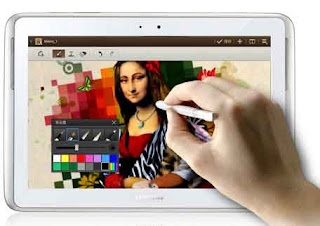
KSJMA2 Firmware Details PDA: M480SKSJMA2 CSC: M480SSKTJMA2 Android Version: Android 4.1.2 Jelly Bean Date: 2013-01-09 Regions: South Korea Only For Samsung Galaxy Note 10.1 SHW-M480S Firmware Download M480SKSJMA2_M480SSKTJMA2_SKT.zip Install Tool Odin3 v3.04 Samsung Drivers Samsung USB Driver ( Download Directly ) or Samsung Kies PC Sync ( Samsung Kies_2.3.1.12044_18 ) Put Galaxy Note 10.1 into Odin Mode Press and hold Volume Down + Power key till you see the Samsung logo Waiting for you see exclamation mark with triangle Press Volume Up key How To Install USB drivers installed on your computer Extract M480SKSJMA2_M480SSKTJMA2_SKT.zip , you can get some .tar and .pit files Extract Odin3 v3.04, you can get a windows application named Odin3 v3.04.exe , and run it Turn off your tablet, and go to Odin Mode Connect your tablet to computer You can find the message “Added !!” under Odin’s message box Now select the f...

Samsung Galaxy Note 2 N7102 Official ZCAMA3 Android 4.1.2 Jelly Bean Firmware Download

Image
ZCAMA3 Firmware Details: PDA: N7102ZCAMA3 CSC: N7102CHNAMA3 Android Version: Android 4.1.2 Jelly Bean Date: 2013-01-15 Regions: China, China Hong Kong Only For Samsung Galaxy Note 2 N7102 Firmware Download N7102ZCAMA3_N7102CHNAMA3_CHN.zip Install Tool Odin3 v3.04 Samsung Drivers Samsung USB Driver ( Download Directly ) or Samsung Kies PC Sync ( Samsung Kies_2.3.1.12044_18 ) Put Galaxy Note 2 into Odin Mode Press and hold Volume Down + Home + Power key till the device turns on You will see a screen with yellow and red text after the Samsung logo Press Volume Up How To Install USB drivers installed on your computer Extract N7102ZCAMA3_N7102CHNAMA3_CHN.zip , you can get some .tar and .pit files Extract Odin3 v3.04, you can get a windows application named Odin3 v3.04.exe , and run it Turn off your phone, and go to Odin Mode Connect your phone to computer You can find the message “Added !!” under Odin’s message bo...

Samsung Galaxy Grand Duos I9082 Official XXAMA9 Android 4.1.2 Jelly Bean Firmware Download

Image
XXAMA9 Firmware Details: PDA: I9082XXAMA9 CSC: I9082OJVALL5 Android Version: Android 4.1.2 Jelly Bean Date: 2013-01-16 Regions: Austria, Belgium, France, Germany, Hungary, Italy, Spain, United Kingdom Only For Samsung Galaxy Grand Duos I9082 Firmware Download I9082XXAMA9_I9082OJVALL5_THR.zip Install Tool Odin3 v3.04 Samsung Drivers Samsung USB Driver ( Download Directly ) or Samsung Kies PC Sync ( Samsung Kies_2.3.1.12044_18 ) Put Galaxy Grand Duos into Odin Mode Press and hold Volume Down + Home + Power key till the device turns on and you see the Android logo with a triangle Press Volume Up key How To Install Install USB drivers to your computer Extract I9082XXAMA9_I9082OJVALL5_THR.zip , you can get some .tar and .pit files Extract Odin3 v3.04, you can get a windows application named Odin3 v3.04.exe , and run it Turn off your phone, and go to Odin Mode Connect your phone to computer You can find the message ...